Winnipeg, MB · building since 2021

Kobey Buhr

Software Engineer

I take an idea all the way to something people actually use. A shift schedule a small business still runs on, Storyboarder going up on the App Store, and the all-in-one fitness app I'm building behind it.

this is my old ripple sim, click it

Storyboarder

Shot planning, frame by frame.

Storyboarder is for getting a film idea out of your head fast. Start a board, drop in a frame from your camera or your library, say what the shot is, and drag it into place. When it's ready the board comes out as a printable PDF or a timed animatic, so you can see how the thing actually plays. It's written in Swift for iPhone and iPad, everything stays on your device, and it's the one I'm shipping next.

  • Swift
  • SwiftUI
  • SwiftData
  • StoreKit 2
  • AVFoundation
  • Core Graphics
  • PhotosUI
  • iOS + iPadOS
Feature complete · App Store submission in progress
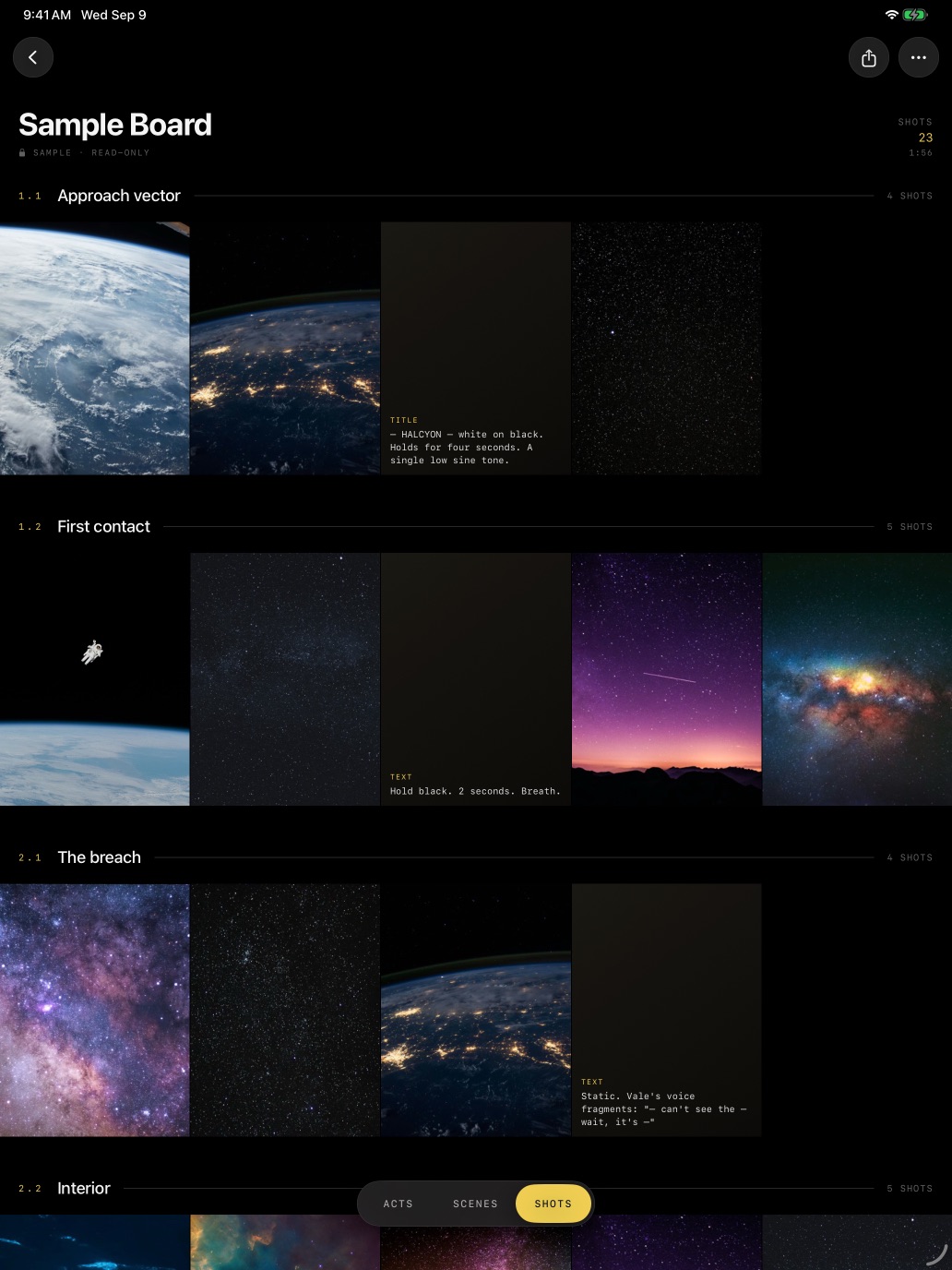
A Storyboarder board on iPad: scenes as labelled rows of frames
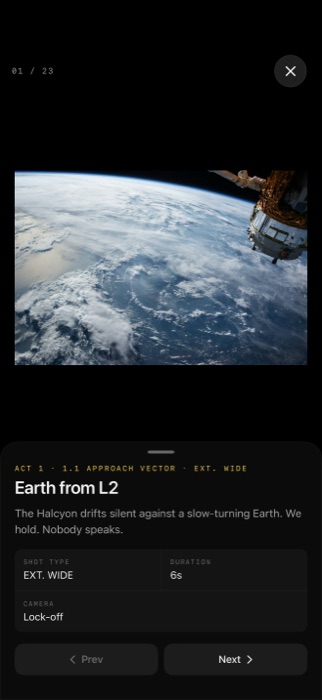
A single shot in Storyboarder on iPhone, with its shot type, duration and camera move

click a screen for a proper look

An all-in-one fitness app

Know exactly what to work on next.

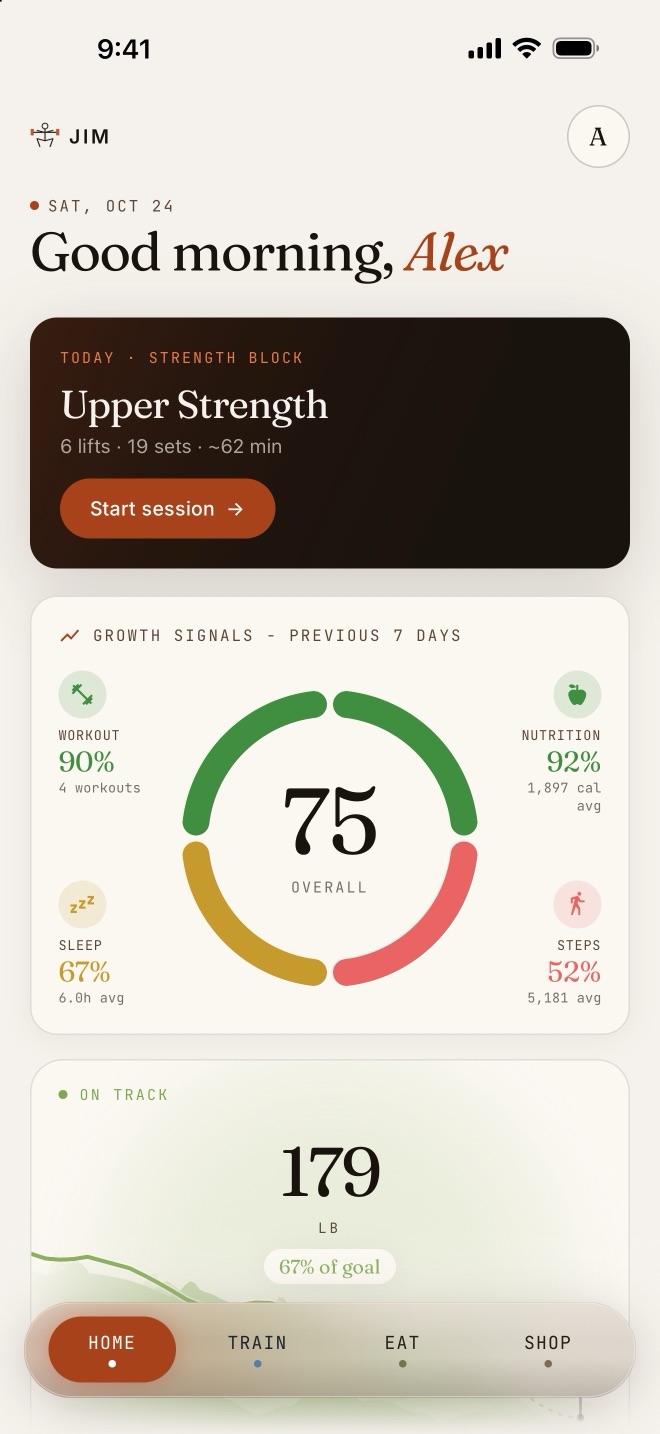
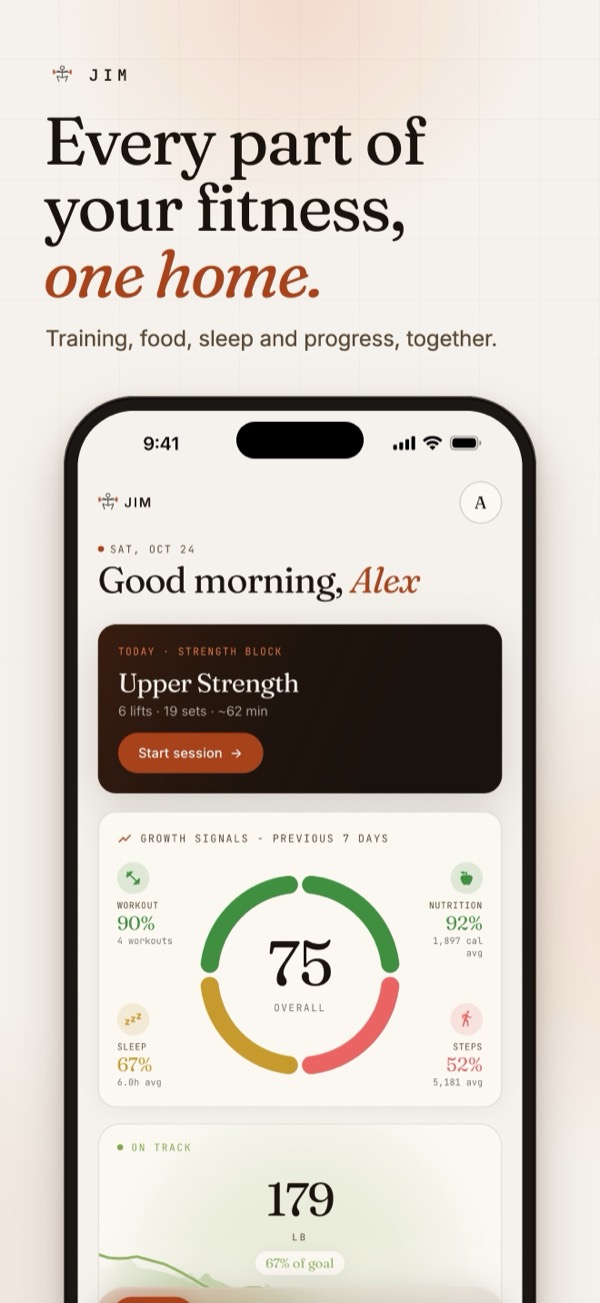
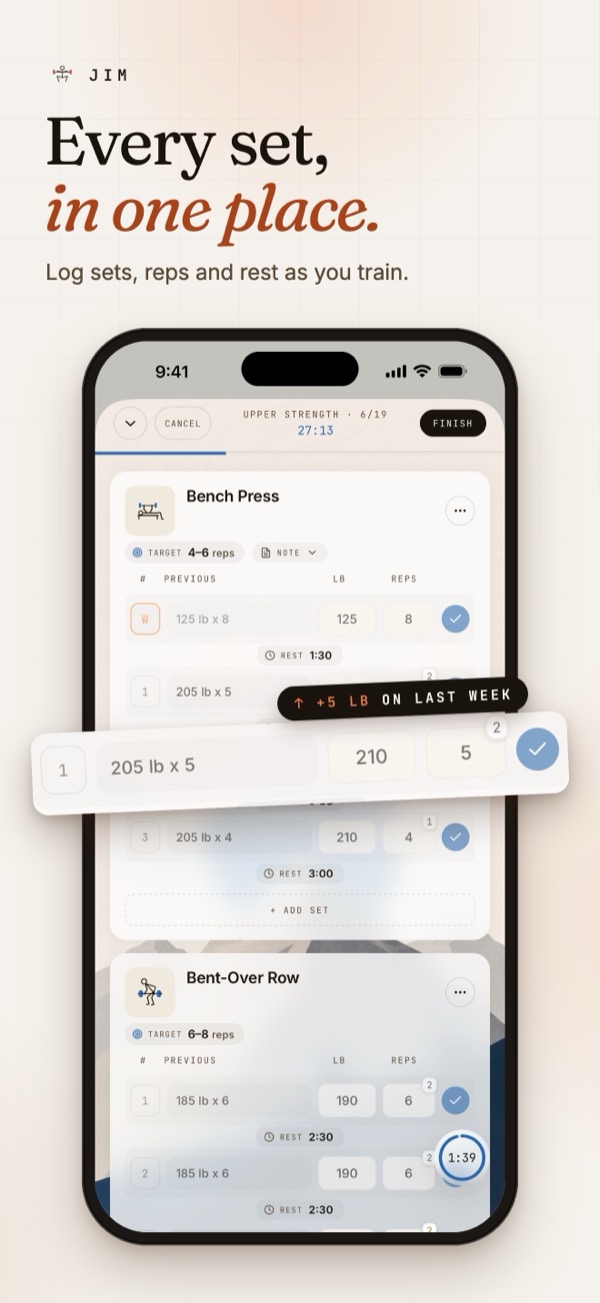
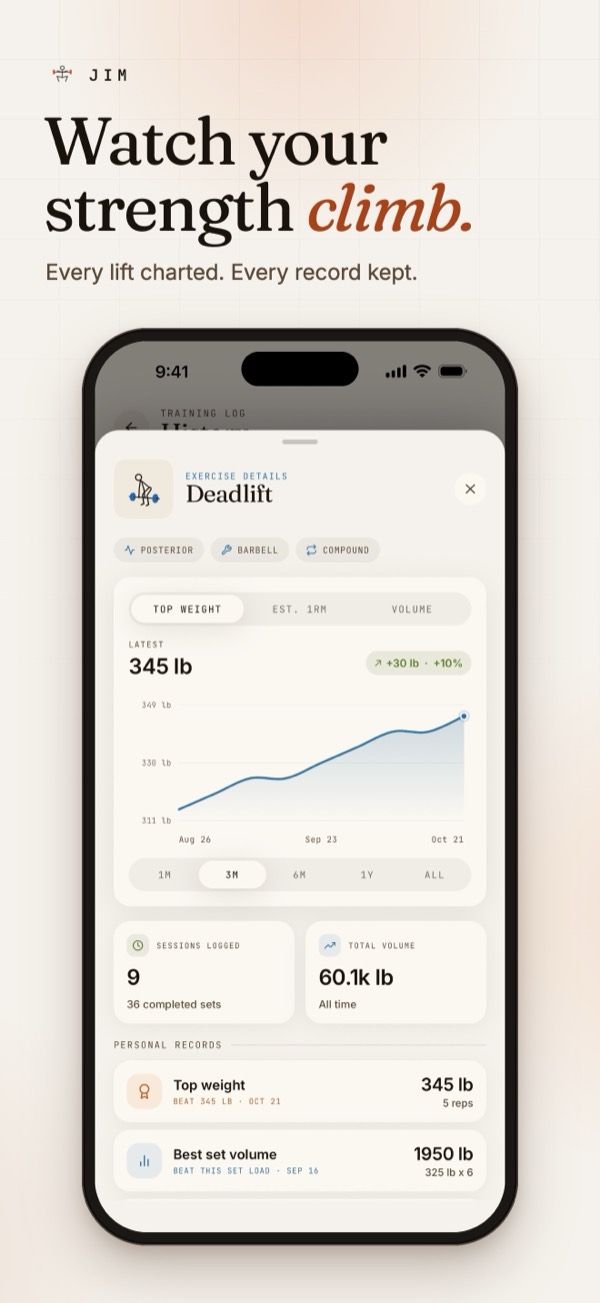
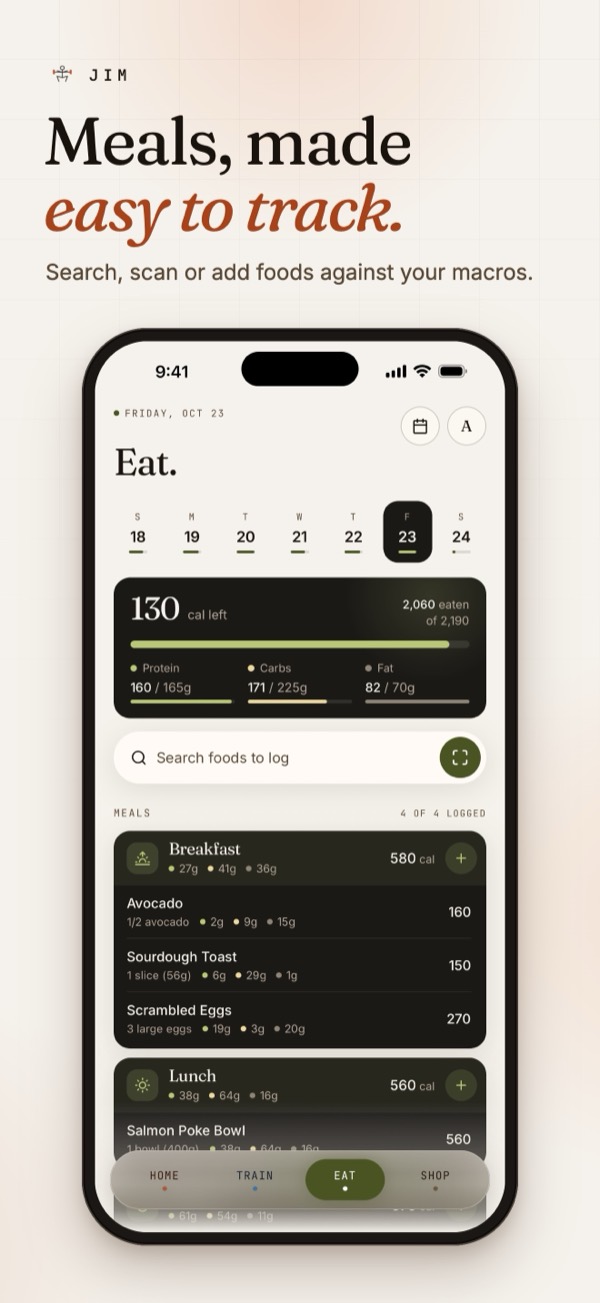
It's an iOS fitness app I've been designing and building solo. The whole point is to make fitness simpler. It keeps track of your training, food, sleep and steps in one place, then shows you which of those you actually need to dial in to hit your goal, instead of leaving you to guess. Custom workout programs make it far easier to stick to a plan, which is what gets you results sooner.

  • React Native
  • Expo SDK 57
  • TypeScript
  • SwiftUI (watchOS)
  • Supabase
  • Postgres + RLS
  • HealthKit
  • Reanimated
In active development · TestFlight builds shipping
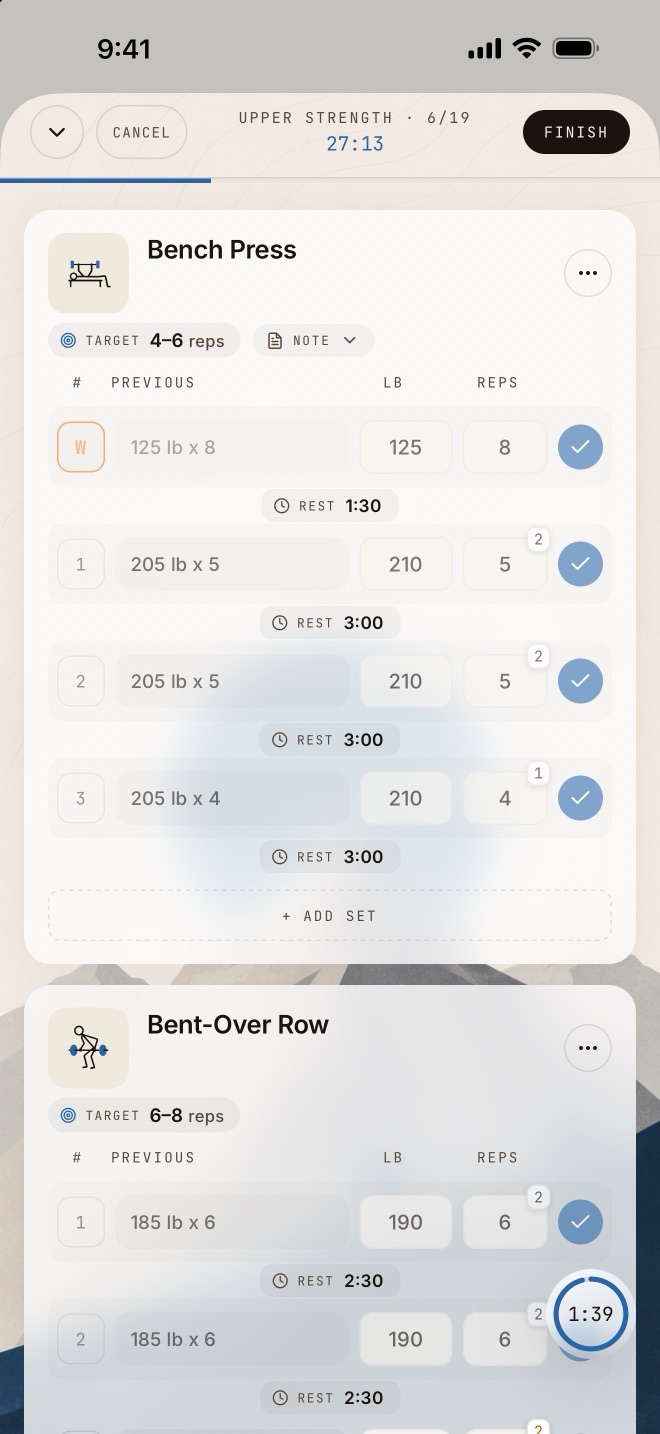
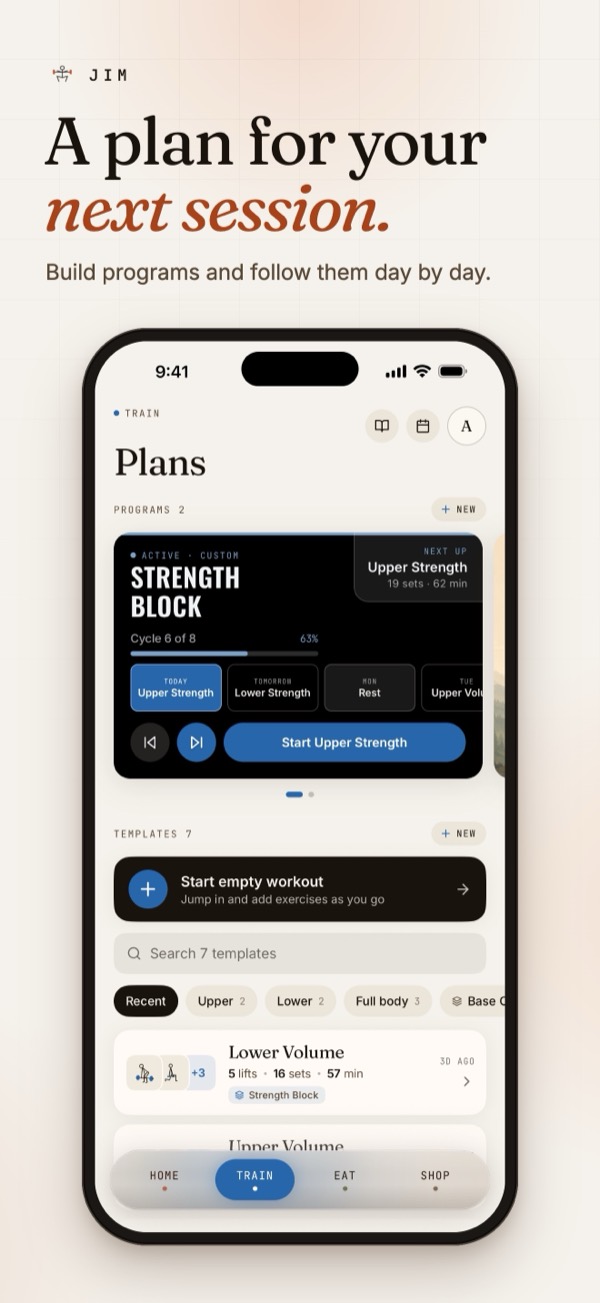
The app's Train tab
The app's Home screen
The app on Apple Watch

screenshots coming soon

01

Programs & sessions

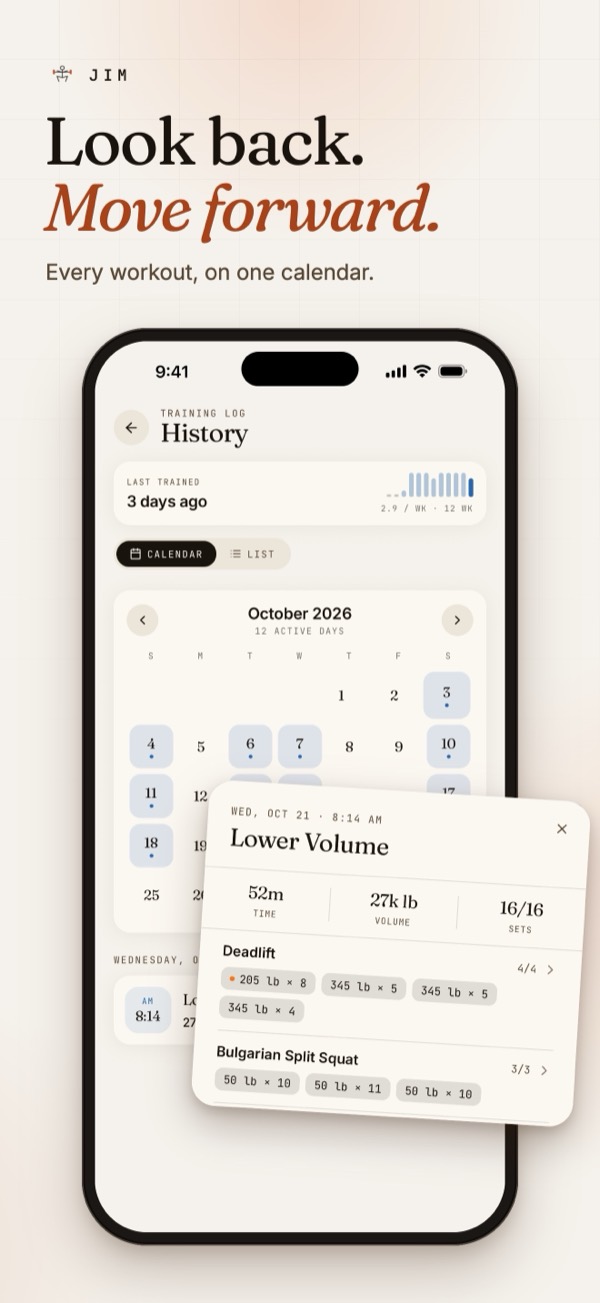
Build a program, schedule the week, and run the session live: sets, reps, load, rest timers, warm-up/drop/back-off set types, and a history you can actually read.

02

Apple Watch companion

A native SwiftUI watchOS target mirrors the in-progress workout over WatchConnectivity, follows the phone's position, and logs the current set from the wrist, with session recovery if either side dies mid-workout.

03

Growth Signals & Progress

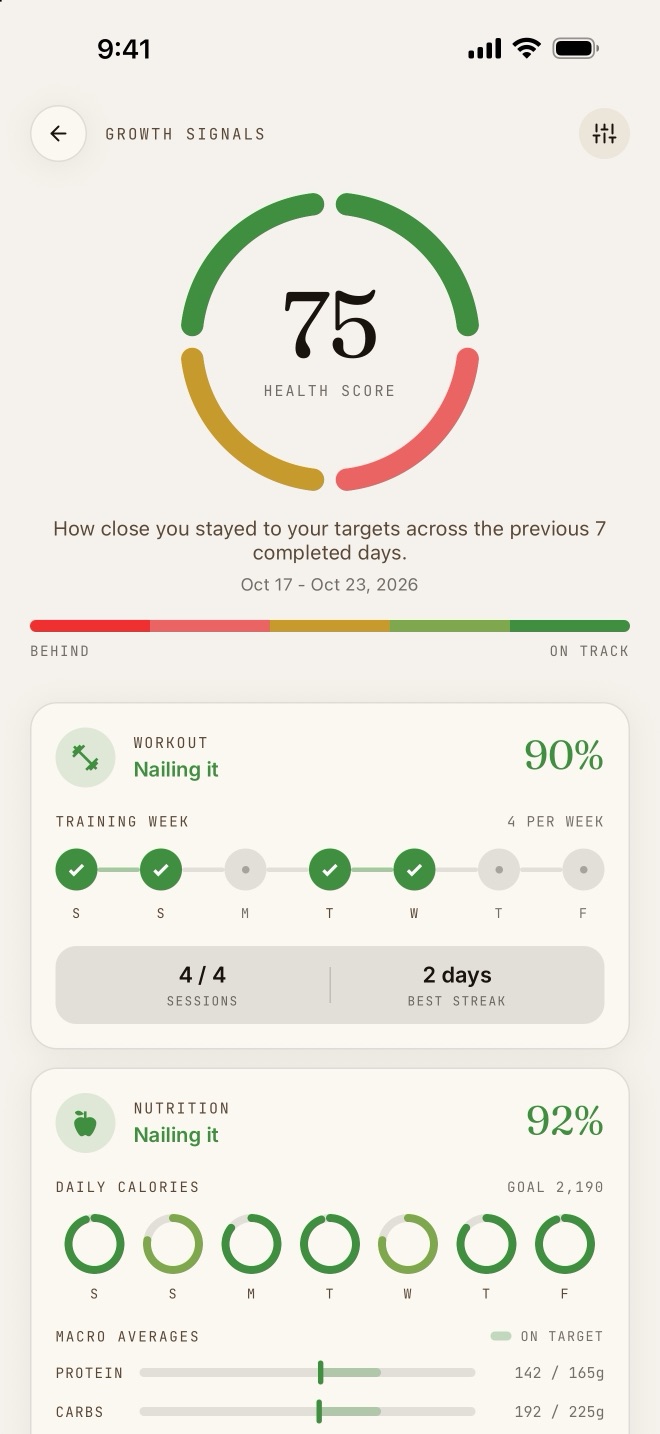
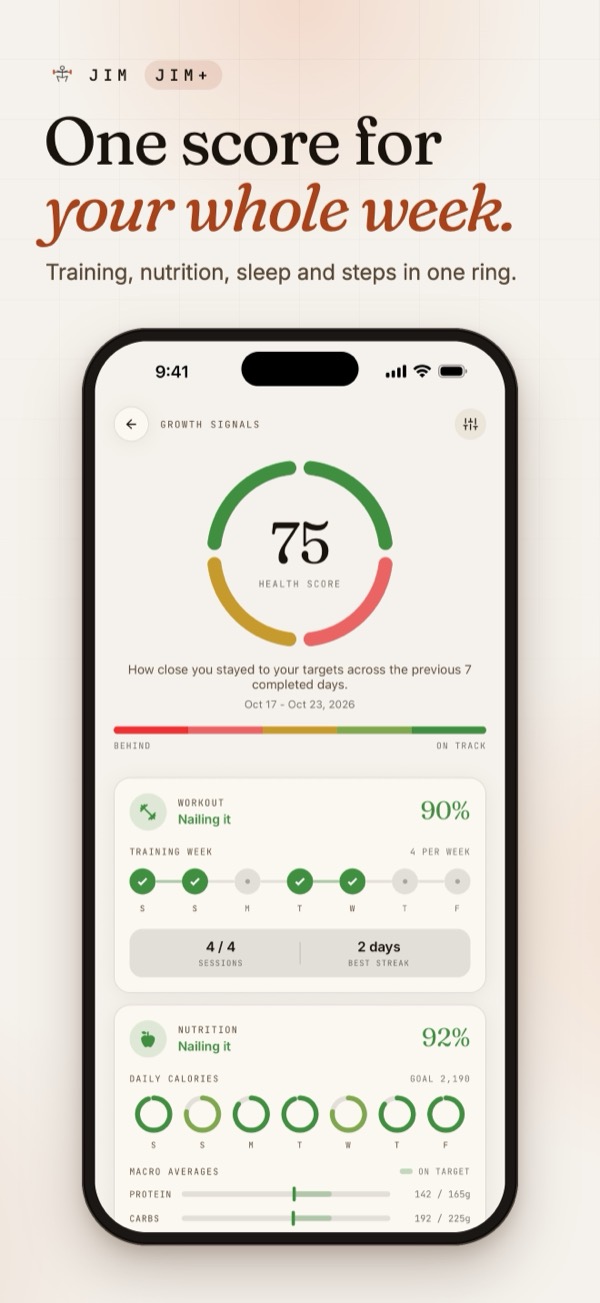
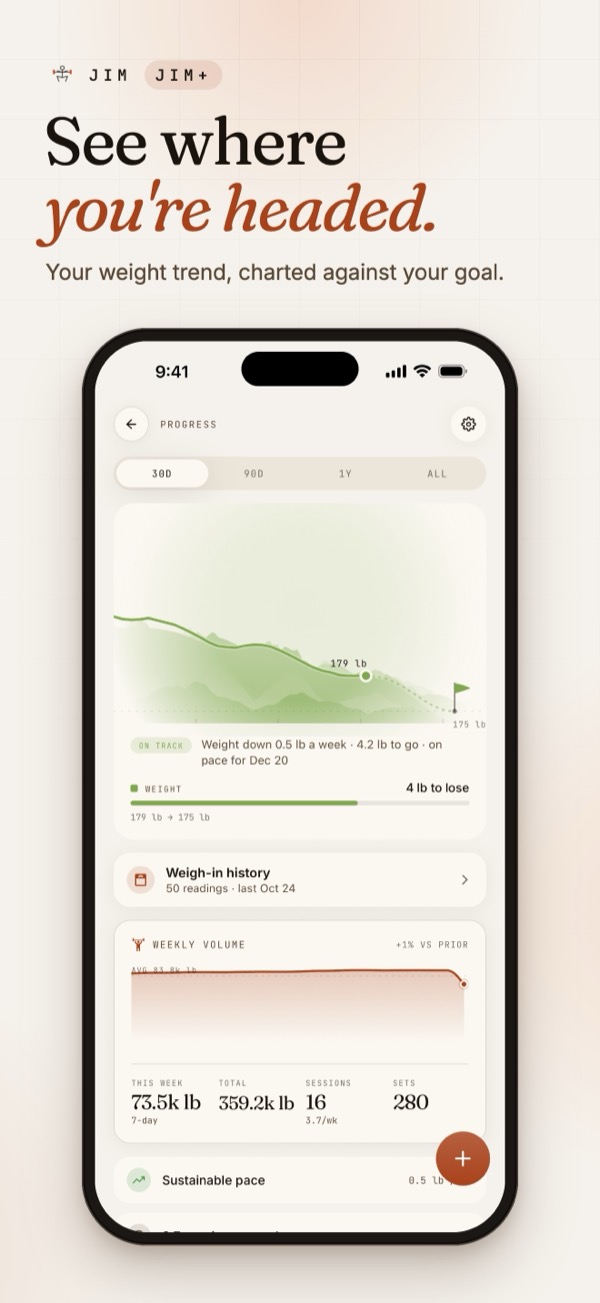
Growth Signals scores how consistent you've been across training, food, sleep and steps, so the weak spot is obvious at a glance. Progress answers the other question: are you actually getting where you said you were going?

04

Food, sleep & steps

A food diary with search and targets, plus sleep and step data read straight from HealthKit / Health Connect, so the training picture isn't missing the other 22 hours.

05

A library you can navigate

Exercises are organised by movement and muscle group, each with its own illustration that tints to the current theme, so finding the right lift takes a glance rather than a scroll through stock photos.

06

Works offline

Workouts live on the device, so a bad signal in the gym never costs you a set. Supabase adds accounts, secure share links, published programs and backups behind row-level security whenever you want them.

A few exercises from the library

Exercises in the library
142
Platforms
3

iOS · watchOS · Android

Test suites run pre-commit
18
Engineers on it
1

hi 👋

Things I've built along the way

Everything from my first paid project to the ones I wrote because the idea wouldn't leave me alone. Open one for the full story.

Everything else github.com/KobeyB Half-finished experiments, tools I wrote for myself, and whatever I'm poking at this week.
Kobey Buhr in front of a “City with a Soul” mural

Waco, TX · 2023

Hey, I'm Kobey.

I'm a software engineer who likes the whole arc of a product, from the messy first sketch, through the week you spend arguing with yourself about the data model, to the day someone uses the thing without asking you how it works.

Since 2021 I've built websites for small businesses, maintained large-scale software in enterprise environments, and shipped my own apps to real users. Lately most of my evenings go to the fitness app: designing it, building it, and rewriting the parts that didn't earn their keep.

I spend most of my time on the details nobody asks for, like what the screen says when it's empty, what happens when the signal drops, and whether an animation makes the app feel quick or just busy.

  • Based in Winnipeg, MB 🇨🇦
  • Currently Building a fitness app for iOS & watchOS
  • Reaching for TypeScript, React Native, Swift, Postgres
  • Also enjoys Lifting, board games, and over-engineering side projects

Got something you want built?

Freelance work, a role, a bug in one of my apps, or just to say the ripple thing is cool. All of it is welcome.

kobeydevapps@gmail.com

2022 · Production · Web

Work Schedule

  • HTML
  • CSS
  • JavaScript
  • Firebase

My first production project, built to meet a real business need rather than a course requirement. It's also the one that taught me adoption is a design problem.

The business needed a schedule employees could check from anywhere and managers could update without calling someone. I built a lightweight web app: an HTML/CSS/JavaScript front end over a Firebase NoSQL backend.

The important decision wasn't technical. I modelled the UI directly on the paper schedules already taped to the wall, so nobody had to learn a new mental model to use it. Staffing is edited through dropdowns, and every day keeps its own change history.

Editing a shift in the Work Schedule app
Editing a day's staffing, same shape as the paper sheet it replaced.

A typical day has two shifts, Open and Close, so the data model supports two assigned employees per day. It generalises to an arbitrary number of shifts with a small change. That was a deliberate trade to keep the first version simple enough to actually ship.

Per-day change history in the Work Schedule app
Per-day change history, so nobody has to remember who moved what.

Try the demo

work-schedule-demo.web.app

Email test@demo.com Password dasf-1289-a!

Java · Graphics

Ripple Simulator

  • Java
  • Swing

A top-down water ripple, rendered as a field of dots. It started as Java practice and ended up becoming the thing this whole site is built around.

Each click emits an expanding ring. Every dot the ring passes starts oscillating, and the output of the ripple function drives two things at once: the dot's size, and its blue and green colour channels.

The graph shows the function itself, where y drives size and colour and x is time since the wave front arrived. Amplitude decays with distance and with time, so the surface settles instead of ringing forever.

Graph of the ripple function
The ripple function: y drives dot size and colour, x is time.

Years later I rewrote it in JavaScript on a canvas, and that's the hero at the top of this page. Same maths, same falloff, now running at the top of my portfolio and reacting to your cursor.

go click it again

The ripple simulation mid-animation
The original Java version, mid-ripple.

Java · Game

Tac

  • Java
  • Swing

A fully playable version of the German board game my family has played for years, started right after my first university programming course.

In Tac, you and your partner race four marbles each around the board and into the slots above home. (The rules, if you're curious. They're better than they sound.)

In hindsight the scope was well beyond my experience at the time, which is exactly why it was worth doing. It gave me a lot of practice with Java's Swing library and my first real encounter with the cost of skipping design.

The result works end to end. The codebase is harder to maintain than it should be because I had almost no exposure to design principles yet, so a rewrite with a cleaner architecture is on my list. I'm still proud of it for what it was.

The Tac board game running in Java Swing
The board, rendered entirely in Swing.

Java Swing → iOS · On the App Store

Color Guesser

  • Java
  • Swing
  • Swift
  • SwiftUI
  • SwiftData
  • Game Center
  • Google AdMob

The simplest game I could think of, written to practise Java Swing, and then rebuilt for iOS later for one specific reason: I wanted to find out what it actually takes to get an app onto the App Store.

Color Guesser app icon Color Guesser app icon

Color Guesser

Free on the App Store · iPhone and iPad

View on the App Store

Play a round

Every colour is red, green and blue light mixed together, each from 0 to 255.

  • 000
  • 255255255
  • 25500
  • 90200250

The panel below is a random colour, scored exactly the way the iOS version scores it. Guess its three values, and the result gets tinted with your guess so you can see the miss.

High Score 0

Color Guess

Scored like the app: each channel is worth 255 minus your error, the three add up, the total is multiplied by ten, and an exact match adds 350. A perfect guess is 8,000.

It started as small as I could make it

While I was still learning Java I wanted something I could actually finish, so I picked the smallest complete game I could describe in one sentence: the window paints itself a random colour, you type the three channel values, it scores you.

Swing gave me one window, one text field, and one button, and that was the entire thing. The game is the background colour, so it barely needed an interface at all, which is also why the result panel could simply be tinted with the colour you guessed, right next to the real one.

The original Java Swing version
The original: one Swing window, one text field, one button.

Scoring each channel separately turned out to be the whole hook. “You were 60 off” is forgettable; “you nailed green and missed blue by 60” makes you want one more round.

Nobody asked for this game and I never expected anyone to play it. It sat in a repo for a long while, which is exactly why it was the right thing to reach for later.

The original Java result screen
The Swing result screen: your guess against the real colour.

I did this one for the process

I’d never put anything on the App Store, and I wanted to know what the rest of it involves once the code is done. Finding that out takes a real app that gets submitted, reviewed and published, and it doesn’t need to be an ambitious one. Color Guesser was already the smallest finished game I owned, so it became the vehicle.

It was never trying to be the most fun game ever made. It’s a deliberately tiny game carrying a full-size release, so I got a dry run of the whole pipeline on something where the worst outcome was a bad score.

The iOS rebuild

Color Guesser main menu
Main menu
A round of Color Guesser in progress
A round
Color Guesser result screen showing per-channel deltas
Result
Color Guesser stats screen
Stats

None of the Java transferred, since the app is a fresh SwiftUI build, but the one-sentence idea did, with a lot more app around it. The tint trick scaled up especially well: the whole screen becomes the target colour and every control is a translucent layer on top of it, so the interface is always readable and always literally the thing you’re guessing.

The scoring got formalised. Each channel is worth 255 − your error, the three add up, the total is multiplied by ten, and a clean sweep adds a 350‑point bonus, so a perfect guess is exactly 8,000. The result screen breaks out how far off you were on red, green and blue individually.

Every round is written to SwiftData, which is what makes the Stats screen possible: your last 25 games plotted, alongside games played, best score, average, and a rolling five‑game average so you can tell whether you’re actually improving. Game Center adds a high‑score leaderboard and four achievements: one for a perfect guess, and one each for nailing red, green or blue exactly.

The rest is the polish an App Store app is expected to have and a Swing window is not: haptics on submit, an onboarding pass on first launch, input that refuses anything outside 0–255, an iPad layout, and a banner ad that sits behind a build flag so it can be switched off entirely.

Everything that wasn’t code

This is the part I actually did the project for. The game itself was the easy half. This list was the education:

  • Apple Developer Program enrolment
  • Bundle IDs, certificates and provisioning profiles
  • Signed archives uploaded from Xcode
  • App Store Connect listing: name, subtitle, keywords, description
  • Screenshots at every required device size, plus an app preview video
  • Privacy nutrition labels declaring what the app does and doesn’t collect
  • A hosted privacy policy and support page, both of them live on this site
  • TestFlight builds before anything went public
  • App review, and the wait that comes with every submission
  • Game Center setup: leaderboard and achievement IDs, plus artwork for each
  • AdMob, an app-ads.txt on this domain, and non‑personalised ads only
  • Version and build numbering, and shipping updates after launch

Almost none of that is programming, and none of it is something I could have learned by building yet another side project that stayed on my machine. The fitness app goes into the exact same pipeline with a great deal more riding on it, and I would much rather have made my first‑timer mistakes on a colour game.

Machine learning

Spam Detection

  • Python
  • NumPy
  • Pandas
  • Matplotlib
  • Scikit-Learn

An SMS spam classifier that reaches 98% accuracy, with the whole workflow written up in a Jupyter notebook rather than hidden in a script.

NumPy and Pandas handled data preparation, Matplotlib the visualisation, and Scikit-Learn the model training. The dataset came from Kaggle, and the notebook walks through every step: cleaning, feature extraction, training, and evaluation.

The most fun part was the exploratory analysis: the words that most reliably give spam away are exactly the ones you'd guess, and seeing that fall out of the data was the moment the whole field clicked for me.

Chart of the most common words in spam messages
The words that give spam away.